
For Cloud Users
For printing and opening files from our cloud servers directly on your local computer, please follow these steps on your LOCAL computer (not the Cloud session):
-
Sign Out of your Cloud session.
-
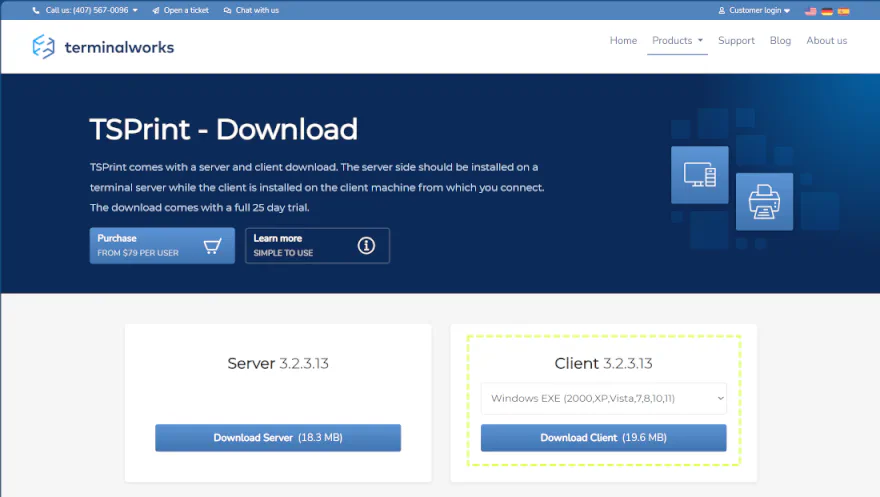
Go to the TSPrint - Download page and click Download Client (highlighted with a yellow box in the image below) . For Mac users, select your Mac OS from the drop-down list first.
-
The version you download may be newer than the one shown in this screenshot.
-
Install TSPrint client software on your computer, following the defaults.
-
Log back in to your Cloud session.